
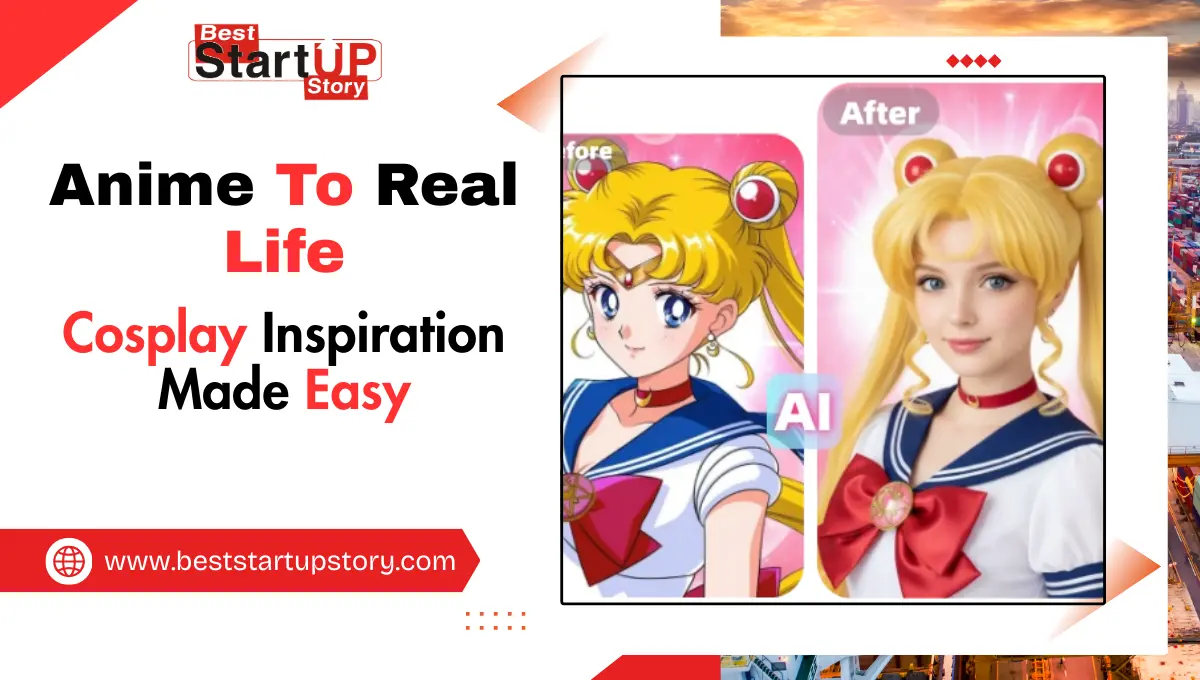
Cosplay has become one of the most popular ways for anime fans to bring their favorite characters to life. Yet planning an authentic cosplay can be time-consuming, expensive, and sometimes confusing, especially when trying to capture every costume detail, hairstyle, and facial expression. Thanks to the Anime to Real Life feature, fans can now instantly see realistic versions of their favorite characters, providing valuable inspiration for cosplay design and execution.
This article explores the challenges cosplayers face, what they need to plan accurate and compelling costumes, and how Anifun makes it easy to generate realistic character references in just a few clicks.
Challenges Cosplayers Face
Finding Accurate References
One of the biggest challenges for cosplayers is locating accurate references for a character. Screenshots from anime or manga often don’t show every angle, or the lighting makes it difficult to see costume details clearly.
Translating Anime Style to Real Life
Anime characters are stylized with exaggerated features, unique hair colors, and outfits that may not exist in reality. Translating these elements into something wearable requires imagination, skill, and sometimes trial and error.
Time and Cost Constraints
Buying or crafting detailed cosplay outfits can be expensive. Even when following tutorials, cosplayers may need to experiment with fabrics, wigs, and makeup multiple times to achieve the desired look.
Limited Design Inspiration
Some cosplayers struggle to adapt existing references to their own body type, skin tone, or personal style, which can make the final costume feel less authentic or convincing.
What Cosplayers Really Need
Realistic Visual References
Cosplayers benefit from seeing their favorite characters in realistic portraits, including accurate clothing textures, hairstyles, and facial features. This helps them plan outfits more precisely and reduces guesswork.
Multiple Angles and Poses
Having references from different perspectives allows cosplayers to understand how a costume drapes, how props should be held, and how the character’s pose affects the overall look.
Customizable Details
Cosplayers may want to experiment with colors, lighting, or slight costume modifications to match their personal style. A flexible tool that allows these adjustments is invaluable.
Quick and Accessible Tools
Cosplayers often need inspiration on the go. An online tool that works instantly without installation, registration, or complicated setup allows them to generate references anytime, anywhere.
How Anifun Helps Cosplayers
Upload Your Favorite Character
Fans can upload images of their favorite anime characters—screenshots, fan art, or original designs.
AI-Powered Realistic Transformation
Anifun’s AI transforms the character into a realistic portrait, preserving essential details such as hair style, clothing, facial expressions, and accessories.
Explore Costume Details
By examining the generated portrait, cosplayers can see textures, color tones, and outfit construction that may not be visible in anime screenshots or drawings.
Generate Multiple Variations
Users can create different poses, lighting conditions, or slight costume tweaks to explore multiple cosplay possibilities before committing to a design.
Quick Sharing and Inspiration
Generated images can be downloaded or shared with fellow cosplayers for collaboration, discussion, or planning group cosplay events.
No Software or Registration Required
The entire process is online and browser-based. Cosplayers can generate realistic character references on PC, Mac, tablet, or mobile without installing software or signing up.
Tips for Best Cosplay Results
Choose Clear, High-Quality Images
High-resolution input helps the AI capture details accurately, resulting in better costume references.
Highlight Signature Features
Make sure the character’s distinctive traits, like hairstyle, accessories, or unique outfit details, are clearly visible in the uploaded image.
Experiment with Lighting and Poses
Adjusting these settings can provide a better understanding of how a costume looks in real-life conditions and angles.
Compare Multiple Outputs
Generating several variations helps cosplayers choose the most practical or visually appealing version for their own cosplay.
Use for Accessories and Makeup Planning
AI-generated realistic portraits can help cosplayers identify colors, makeup styles, and accessory placements more precisely.
Conclusion: Make Cosplay Planning Effortless
Anifun Anime to Real Life simplifies the cosplay process by generating realistic portraits of any anime character. Free, online, and easy to use, it helps fans visualize outfits, hairstyles, and accessories in real life, providing invaluable inspiration for authentic cosplay. Whether planning a costume, exploring variations, or collaborating with friends, Anifun brings anime characters to life in a way that is practical, creative, and fun.
Also Read: Methods to Move Offline Outlook Data File (OST) Data