
In the world of digital media, Artificial Intelligence (AI) is changing the way content is created. Today, creators have access to powerful tools that help them enhance their work in ways that were not possible before. Two of the most exciting developments in this space are AI voice generators and AI video upscalers. These tools are allowing creators to produce high-quality content with ease. Whether it’s adding lifelike voiceovers or improving video resolution, AI is making media creation more accessible and efficient than ever before.
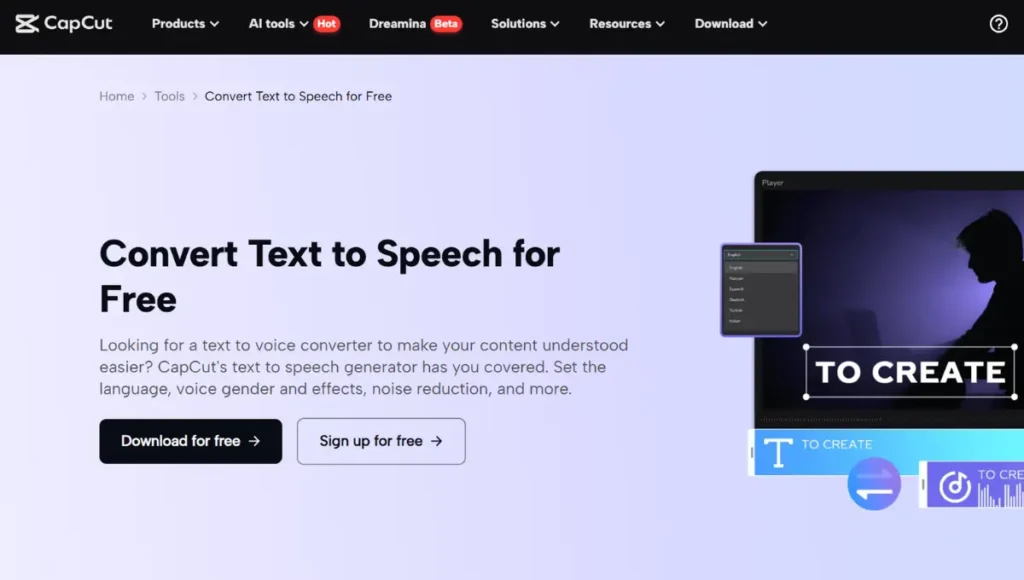
One particularly powerful aspect of AI technology is text to speech AI, which allows text to be converted into lifelike voiceovers. This technology has revolutionized the way creators add audio to their content. No longer do you need to hire voice actors for every project, and creators can work faster by generating voiceovers directly from written scripts. With just a few clicks, you can turn your script into a professional voiceover, making your content feel polished and engaging.
What is an AI Voice Generator?
An AI voice generator is a tool that uses artificial intelligence to create speech from written text. This technology has improved so much that the generated voices now sound incredibly natural and lifelike. AI voice generators are being used in various industries, such as for virtual assistants, audiobooks, video games, and dubbing in films. It’s an essential tool for creators who want to add voiceovers to their content without hiring a voice artist.
For example, if you’re creating educational videos, you can use an AI voice generator to narrate your content in a clear and engaging way. The voice generated can be customized in terms of tone, pitch, and speed to suit the mood of your video. This makes it easier for creators to produce high-quality audio content without having to worry about recording the voice themselves.
What is an AI Video Upscaler?
Another breakthrough in AI technology is the AI video upscaler. This tool uses artificial intelligence to increase the resolution of a video, enhancing its quality and detail. By applying deep learning algorithms, AI video upscaler can upscale a video’s resolution without the typical loss of quality that occurs when increasing resolution manually.
The AI video upscaler is perfect for content creators who want to restore older videos or improve the quality of low-resolution footage. For example, if you have an old video that you want to share but it’s in poor resolution, you can use an AI video upscaler to enhance the video, making it clearer and sharper. This technology is especially useful for creators working with archival footage or content that needs to be remastered for modern platforms.
AI video upscaling tools, like the one available on CapCut, have made it incredibly easy for creators to transform their video content. With just a few clicks, you can upscale your videos and improve their quality, giving your content a professional, high-definition look.
How AI Voice Generators and Video Upscalers Work Together
When used together, AI voice generators and AI video upscalers offer creators a comprehensive toolkit to improve both the audio and visual quality of their content. Imagine creating a high-quality video where the resolution is sharp, and the voiceover sounds professional. This combination makes your content more appealing to your audience and enhances the overall viewing experience.
For example, if you’re creating a tutorial video, you can use an AI voice generator to add a voiceover that clearly explains the content. Then, after recording the video, you can use an AI video upscaler to ensure the visuals are crisp and clear. This combination of enhanced voice and video quality can make your content stand out in a crowded marketplace.
Using CapCut’s Text to Speech AI for Media Creation
One of the most accessible and effective ways to use text to speech AI is through CapCut’s online tool. CapCut offers an easy-to-use platform that allows creators to quickly add voiceovers to their videos. The desktop version of CapCut is perfect for creators who want to add AI-generated voiceovers to their videos without the hassle of complex software.
Here’s how you can use CapCut’s text to speech AI in just three simple steps:
- Import Video
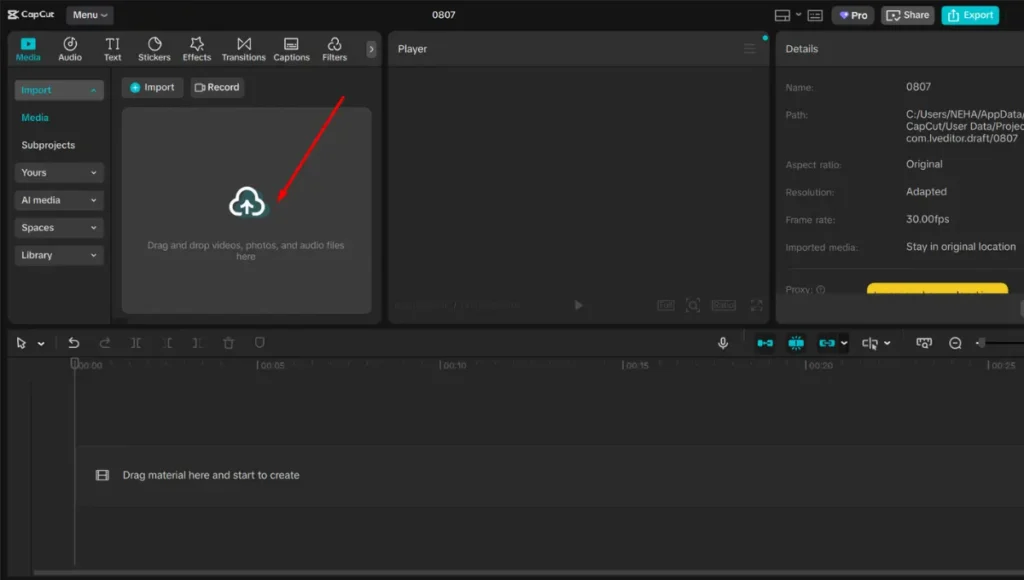
First, open CapCut and import the video file you want to enhance with a voiceover.
- Use Text to Speech AI
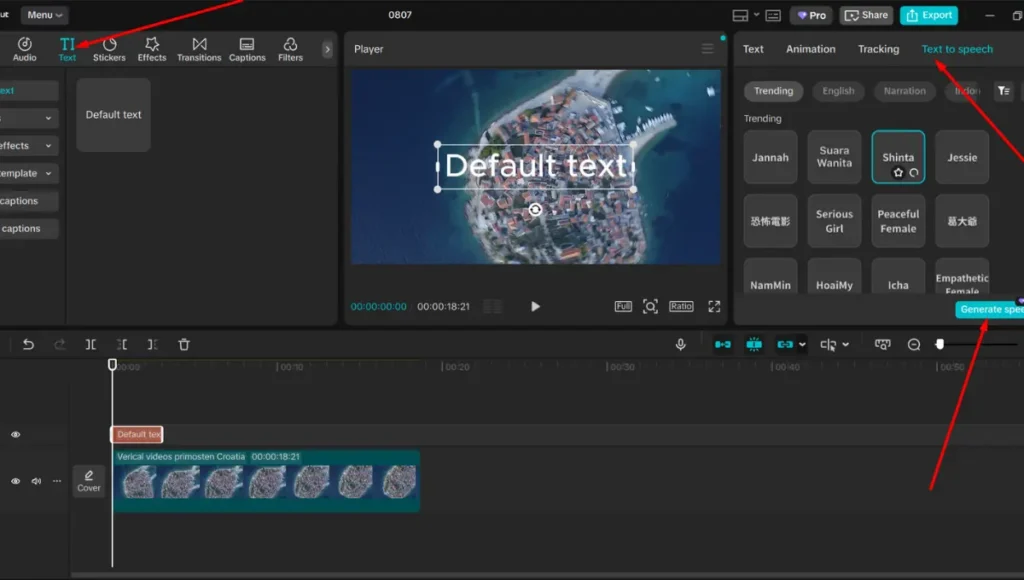
Once your video is loaded, enter the text you want to be read aloud. Then, click on “Text to speech” option and select your desired voice and tone. The AI will automatically convert that text into a lifelike voiceover.
- Export Video
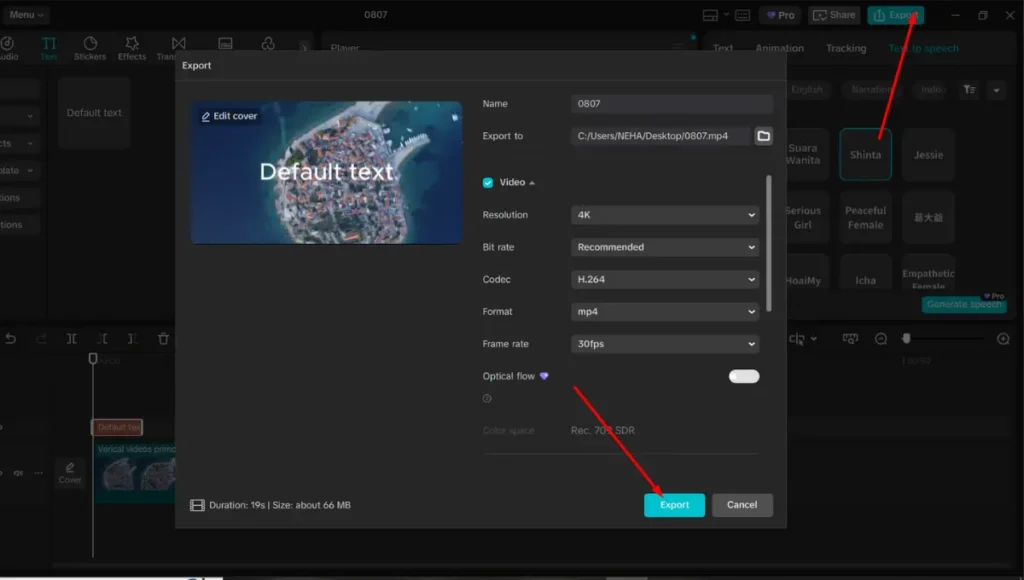
After the voiceover is added, you can export the final video with the new audio. CapCut makes it easy to save and share your video with the added voice.
This feature is perfect for creators who need to quickly add narration to their videos. Whether you’re working on a social media clip, a tutorial, or an explainer video, CapCut’s text to speech AI can help you produce content faster and with a professional sound.
The Future of AI in Media Creation
AI is continuously evolving, and its role in media creation is expanding. In the near future, we can expect even more advanced AI video upscalers and AI voice generators that can create even more realistic audio and video. With these tools, creators will be able to produce content that is indistinguishable from human-made work, but at a fraction of the cost and time.
As AI technology improves, we may also see new features and capabilities added to AI tools. For example, we might see AI voice generators that can simulate specific accents or AI video upscalers that can add 3D effects to old footage. The possibilities are endless, and it’s exciting to think about how these tools will continue to evolve and shape the future of content creation.
Conclusion
In conclusion, AI voice generator and AI video upscaler are game-changing technologies that are reshaping the world of media creation. They give creators the power to produce high-quality content more quickly and affordably. Whether you’re looking to enhance the audio of your videos or improve their resolution, these AI tools can help you take your content to the next level. By using tools like CapCut’s text to speech AI and AI video upscaler, creators can produce professional-quality content without the need for expensive equipment or software. As AI continues to evolve, it will only become more powerful, offering even more opportunities for creators to make their mark in the digital world.
Also Read: How to Earn Money Online in Ghana: A Complete Beginner’s Guide