
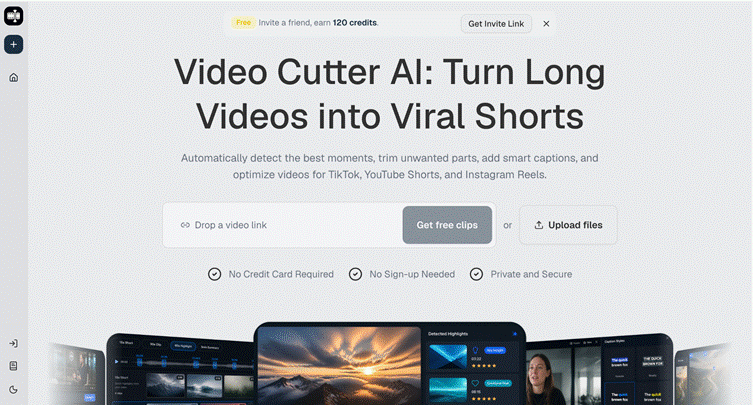
Content teams are often asked to publish more without getting more production time. One webinar becomes a blog post, a newsletter, three social clips, and several sales enablement snippets. One podcast episode has to support awareness, thought leadership, and community engagement. Video Cutter AI can help these teams by turning long videos into clip candidates faster, but the real advantage comes from building a workflow around review, ownership, and repeatable standards.
Publishing Pressure Creates Workflow Problems
Video Cutter AI is most useful when a team has too much footage and not enough time to search through it manually. The bottleneck usually appears after recording. Everyone knows the long video contains useful moments, but no one has time to watch the full file several times.
This creates inconsistent output. Some strong clips are missed. Some weak clips are published because they were easy to find. Captions may be rushed. Vertical formatting may be checked too late.
Why Teams Need Roles, Not Just Tools
A stronger system assigns clear responsibilities. One person can own source selection. Another can review clip candidates. Another can check captions and brand tone. Another can schedule and measure results.
Without roles, AI output can become another pile of assets waiting for approval. The goal is not more files; it is a shorter path from recording to useful published clips.
Turning One Recording into a Weekly Queue

(Highlights of Video Cutter AI)
A single long recording can support several days of publishing if the team plans categories in advance. A founder interview might produce a market insight, a personal story, a tactical tip, a customer objection, and a quote clip. A product demo might produce a feature clip, a use-case clip, and a before-and-after clip.
This helps teams avoid posting similar clips back to back. It also gives each platform a better fit. LinkedIn may favor practical insight. TikTok may favor story or contrast. YouTube Shorts may work well with direct answers and strong openings.
The Review Board Method
I like using a simple review board with columns for source video, candidate clips, approved clips, needs edits, scheduled, and performance reviewed. This gives the team one shared view of the pipeline.
Each clip should include notes on hook, topic, caption issues, platform fit, and any context concerns. The notes do not need to be long. They just need to prevent the same review questions from being asked repeatedly.
Quality Control Under Speed
Speed can create risk if the team skips review. Captions need proofreading. Claims need context. Speaker tone needs to fit the brand. Visual framing needs to work on mobile.
This is especially important for companies publishing expert or product content. A short clip may be the first impression a buyer has of the brand. Rushed captions, misleading cuts, or crowded frames can make the team look less reliable.
The best quality system is simple enough to use every time. Before export, check whether the clip has one idea, one clear opening, readable captions, safe framing, and a fair representation of the source.
Using Performance to Reduce Guesswork
Teams under pressure often move straight to the next batch without reviewing the last one. That wastes learning. Performance review should be part of the workflow, even if it is brief.
Track which clips earn saves, comments, shares, clicks, and qualified leads. Views matter, but they do not tell the whole story. A niche clip with strong saves may be more useful than a broad clip with low intent.
Over time, performance data can shape recording briefs. If customer objection clips perform well, ask more direct objection questions in future webinars. If story clips build trust, prompt guests for more concrete examples.
Conclusion
The main mistake for busy teams is confusing more output with better output. It is also risky to skip ownership, caption review, and performance review just because the first-pass clipping is faster. A good system gives every clip a purpose, a reviewer, and a feedback loop.
Video Cutter AI (https://video-cutter.ai/) has successfully bridged the gap between long-form content libraries and the publishing demands placed on modern teams, helping them create faster clip queues while keeping quality control tied to human judgment.
Try Video Cutter AI: https://video-cutter.ai/